 EN
EN FR
FR ES
ES DE
DE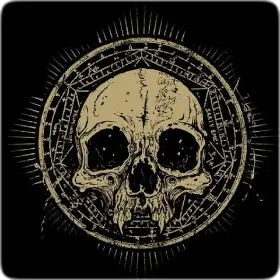
Ghost Wallpaper
A collection of dark, atmospheric wallpapers — fog, silhouettes, moonlight through bare trees, and gothic architecture in low-key tones. Deep-shadow images are the hardest thing for a phone to display well, so this set is graded to keep its shadow detail above the point where cheaper panels crush it to flat black.
What a dark collection asks of your screen
Dark imagery is the most demanding kind of wallpaper to display well, and it's worth knowing why before you pick one. Most phone panels are 8-bit, which gives 256 steps per colour channel. A slow fade from near-black to grey — exactly what fog and moonlight produce — crosses only a few dozen of those steps, so the transition can break into visible stripes instead of a smooth gradient. That's banding, and it's a limit of the screen rather than a flaw in the image. The images here lean on texture in the dark areas — fog detail, grain, silhouette edges — because texture breaks up the steps and hides banding far better than a perfectly clean gradient does.
The second thing to know is shadow crush. Below roughly five percent brightness, many AMOLED panels stop separating the darkest tones and collapse them to pure black, so a scene that looks layered on a monitor can flatten out on the phone at night. If a wallpaper looks like a black rectangle in a dim room, that's usually the panel, not the picture. Turning brightness up a step normally brings the detail back. Low brightness is also where PWM dimming is most aggressive on OLED, which is worth knowing if flicker bothers your eyes — both effects are covered in the display technology guide, and the real-world power saving from a dark background is measured in the battery article.
Inside the Dark Set
The collection is built around atmospheric dark imagery: fog rolling over empty landscapes, shadowy silhouettes, moonlit and gothic scenes, and a touch of supernatural fantasy. Everything sits in deep, low-key tones, so the mood stays consistently moody from one wallpaper to the next.
Built for Dark Mode
Blacks and deep blues dominate the palette, which pairs naturally with a dark system theme. The look is especially striking on AMOLED screens, where true blacks let the few highlights in each image appear to glow against the surrounding darkness.
← Back to all apps