
Detroit Wallpaper

Detroit Wallpaper

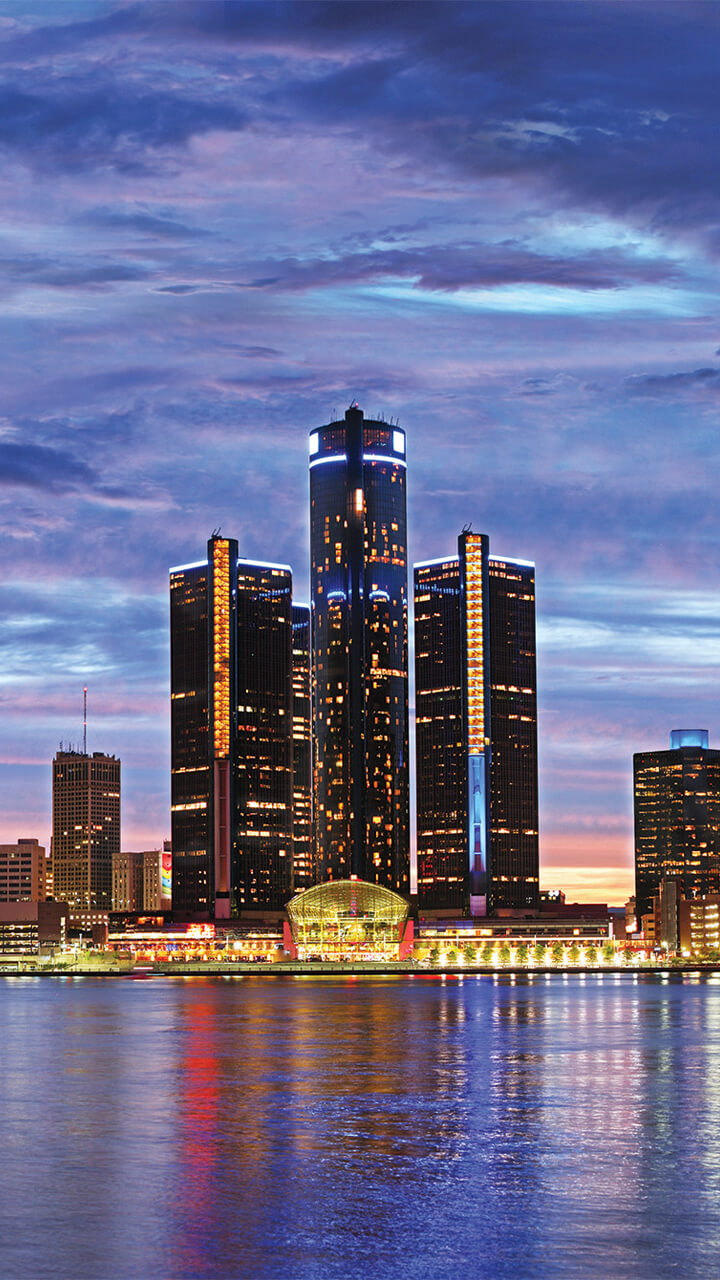
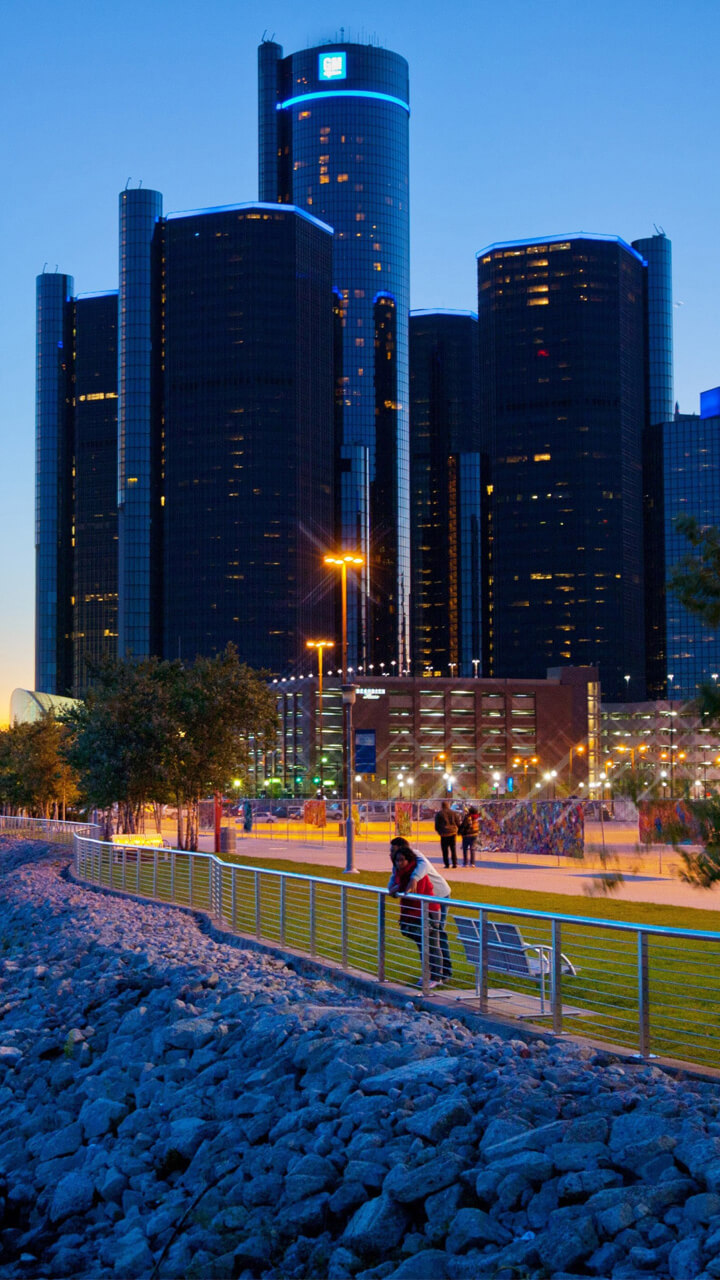
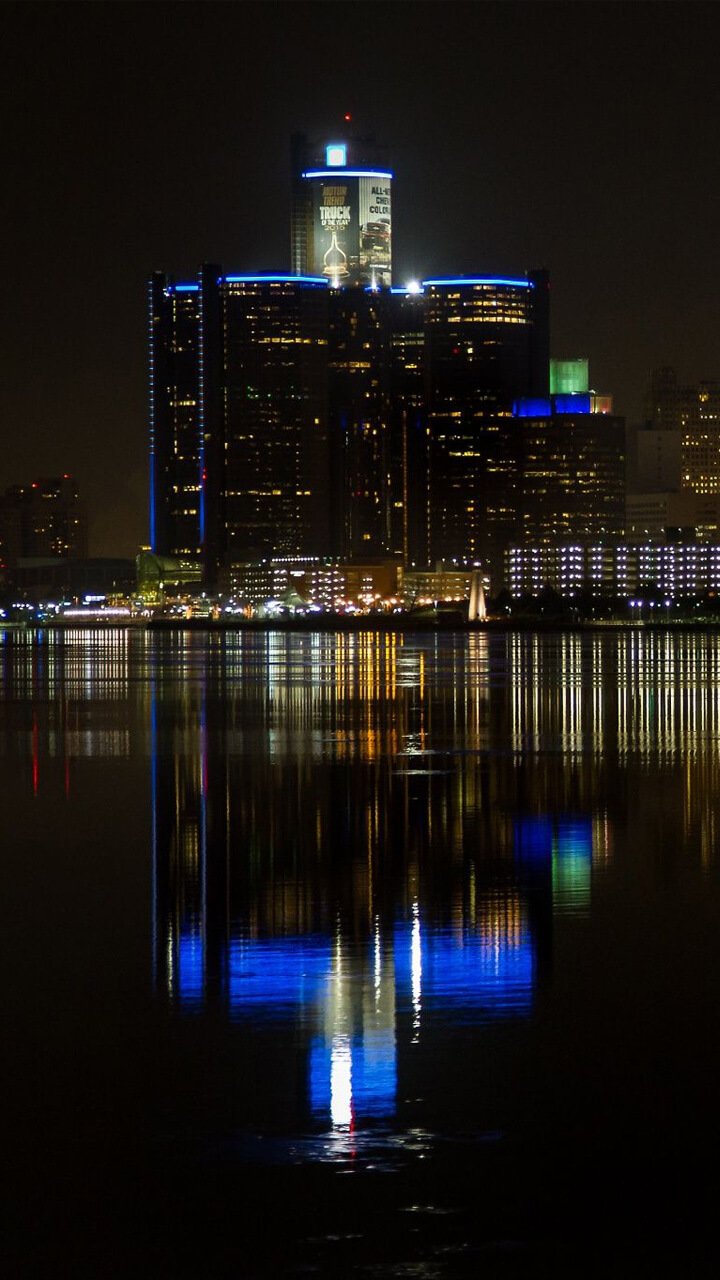
A collection of Detroit wallpapers covering the city's two faces — the glass cylinders of the Renaissance Center and the riverfront on one side, the murals, industrial brick and Motown-era signage of the neighbourhoods on the other. It is a high-contrast set: a lot of steel grey and deep shadow, cut with saturated mural colour.

About Detroit

Detroit is a major city in the United States known for its automotive industry and music history. Located in Michigan, the city played an important role in the development of modern cars and is often called the Motor City.

Detroit wallpapers often showcase modern skylines, bridges, and impressive urban views. These images create strong and dynamic backgrounds for Android phones.

Detroit, Downtown and Beyond

The wallpapers run from the downtown skyline — led by the cylindrical towers of the Renaissance Center — out along the Detroit Riverfront, then into the neighbourhoods for the bold street murals around districts like Eastern Market. Threaded through it all are the industrial textures of factories, rail and machinery that earned Detroit its "Motor City" name.

A City of Motion and Music

Detroit is the birthplace of Motown and a landmark of automotive history, and the collection carries that energy. Expect bold colour, strong straight lines and an urban, slightly raw atmosphere rather than postcard polish — images that feel like the working, music-making city they come from.

Get it on Google Play
← Back to all apps

Wallpaper Preview

× Wallpaper Preview

Frequently Asked Questions

Is the Detroit Wallpaper app free?

Yes. Free on Google Play, with the complete Detroit set unlocked immediately. A modest ad keeps it running; nothing is held back behind a payment.

What does the Detroit set cover?

The downtown skyline and the Renaissance Center, the riverfront, the street murals of Eastern Market, and industrial Motor City scenes, by day and at night.

How do the mural images behave with Material You?

Aggressively. Android extracts an accent colour from your wallpaper, and Detroit's murals are saturated enough that the system will often pull a strong red or teal and spread it across quick settings and app backgrounds. The skyline and riverfront frames are far more neutral if you would rather the system palette stayed quiet.

Explore More Wallpaper Apps

Cinema Wallpaper app icon
Cinema Wallpaper
Film-inspired frames, projector glow and movie mood.
Washington DC Wallpaper app icon
Washington DC Wallpaper
The Capitol, monuments and cherry blossoms.
New York Wallpaper app icon
New York Wallpaper
Manhattan skyscrapers, yellow cabs and neon nights.
Girl Art Wallpaper app icon
Girl Art Wallpaper
Soft illustrated portraits in a dreamy art style.
Hong Kong Wallpaper app icon
Hong Kong Wallpaper
Victoria Harbour, neon signs and packed skyline.
Chess Wallpaper app icon
Chess Wallpaper
Boards, pieces and the quiet geometry of the game.
Venice Wallpaper app icon
Venice Wallpaper
Canals, gondolas and pastel facades on the water.
Hollywood Wallpaper app icon
Hollywood Wallpaper
Sign-lit hills, palm streets and golden-age glamour.
Tokyo Wallpaper app icon
Tokyo Wallpaper
Neon Shinjuku, Shibuya crossing and cherry blossom.
Rome Wallpaper app icon
Rome Wallpaper
The Colosseum, ancient ruins and warm Mediterranean light.
Animal Wallpaper app icon
Animal Wallpaper
Wildlife portraits, from big cats to garden birds.
London Wallpaper app icon
London Wallpaper
Big Ben, red buses and the Thames at dusk.

Where Detroit Photographs Best

Detroit's best vantage points are easy to reach. The skyline reads cleanest from the Detroit Riverfront, or from directly across the river in Windsor, especially at sunset when the towers catch warm light. For the murals, shoot Eastern Market in daylight when the colour is most saturated, and save the Renaissance Center for after dark, when it is lit against the night.

Different shots suit different screens. High-contrast murals make lively lock-screen wallpapers, while darker industrial and night images keep home-screen icons easy to read. Shoot in portrait so the frame matches a tall phone, tap to lock exposure on the brightest part of the scene, and avoid digital zoom — step closer instead to hold detail.